Vision AI Agent: Image Analysis and Object Detection
Vision AI Agent turns photos into answers. Chat with any image, run one-click inspections for safety gear, counts, text and anomalies, or type the name of an object to have every one of them boxed, with no training or example images. Every finding goes into a report you can download.
- one-click inspections
- 5one-click inspections
- training images needed
- 0training images needed
- image detail levels
- 3image detail levels
- report, written as you work
- 1report, written as you work
See Vision AI Agent in action
How it works.
Teams that work from photos: site safety, warehouses and retail, quality inspection, field reports and accessibility.
- Step 1
Upload an image
Drop in a photo from a site, a shelf, a production line or a phone. HEIC photos work too.
- Step 2
Ask or inspect
Chat with the image, or run an inspection: describe, count, safety gear, read text, spot anomalies.
- Step 3
Detect by name
Type any object in plain English, from "helmet" to "damaged box", and every match is boxed.
- Step 4
Export the report
Download the inspection report as Markdown, and the image with its boxes drawn on.
A closer look.
Open Vision AI Agent and try it yourself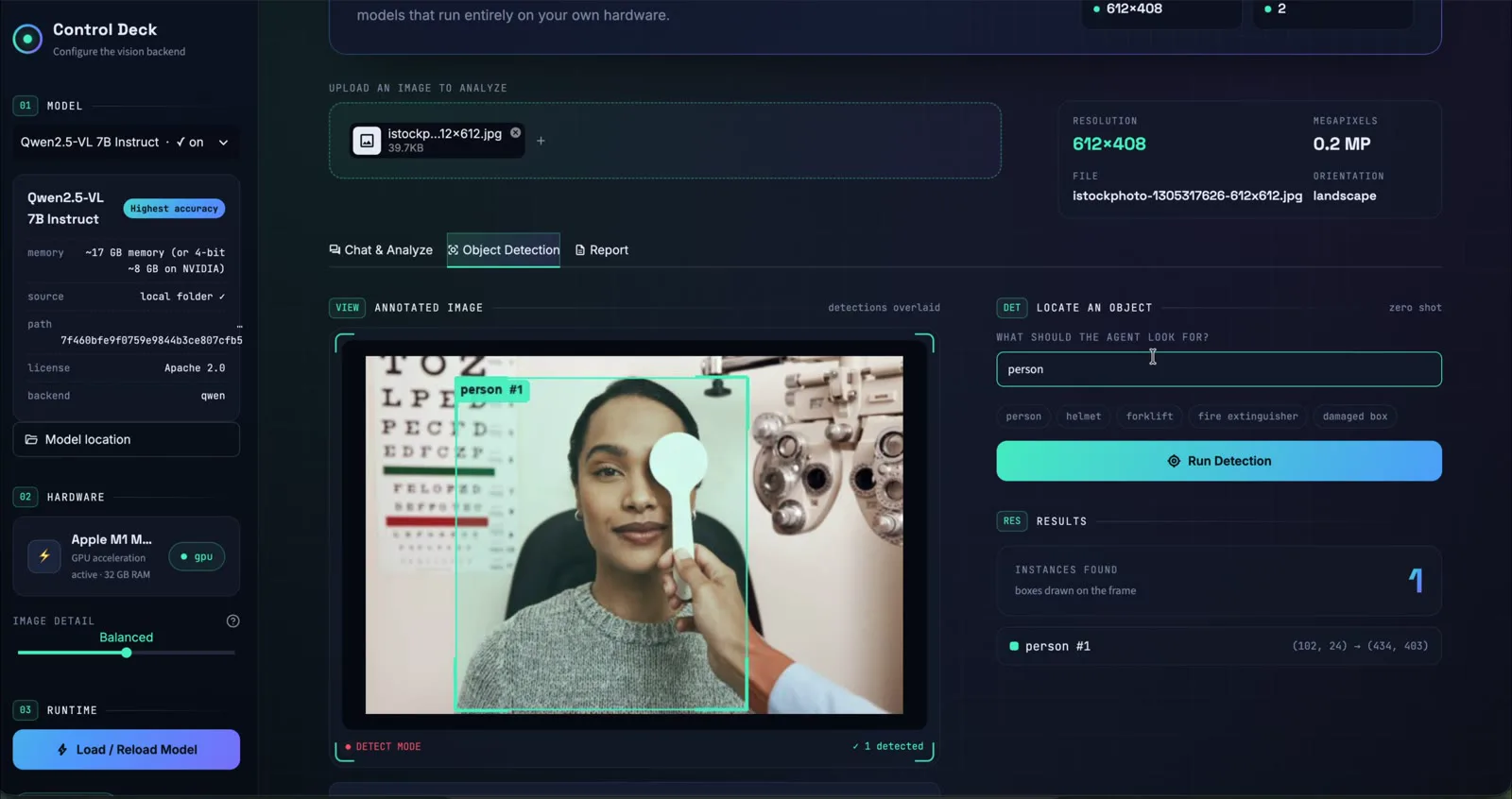
Type an object's name and every match is boxed. No training images needed. 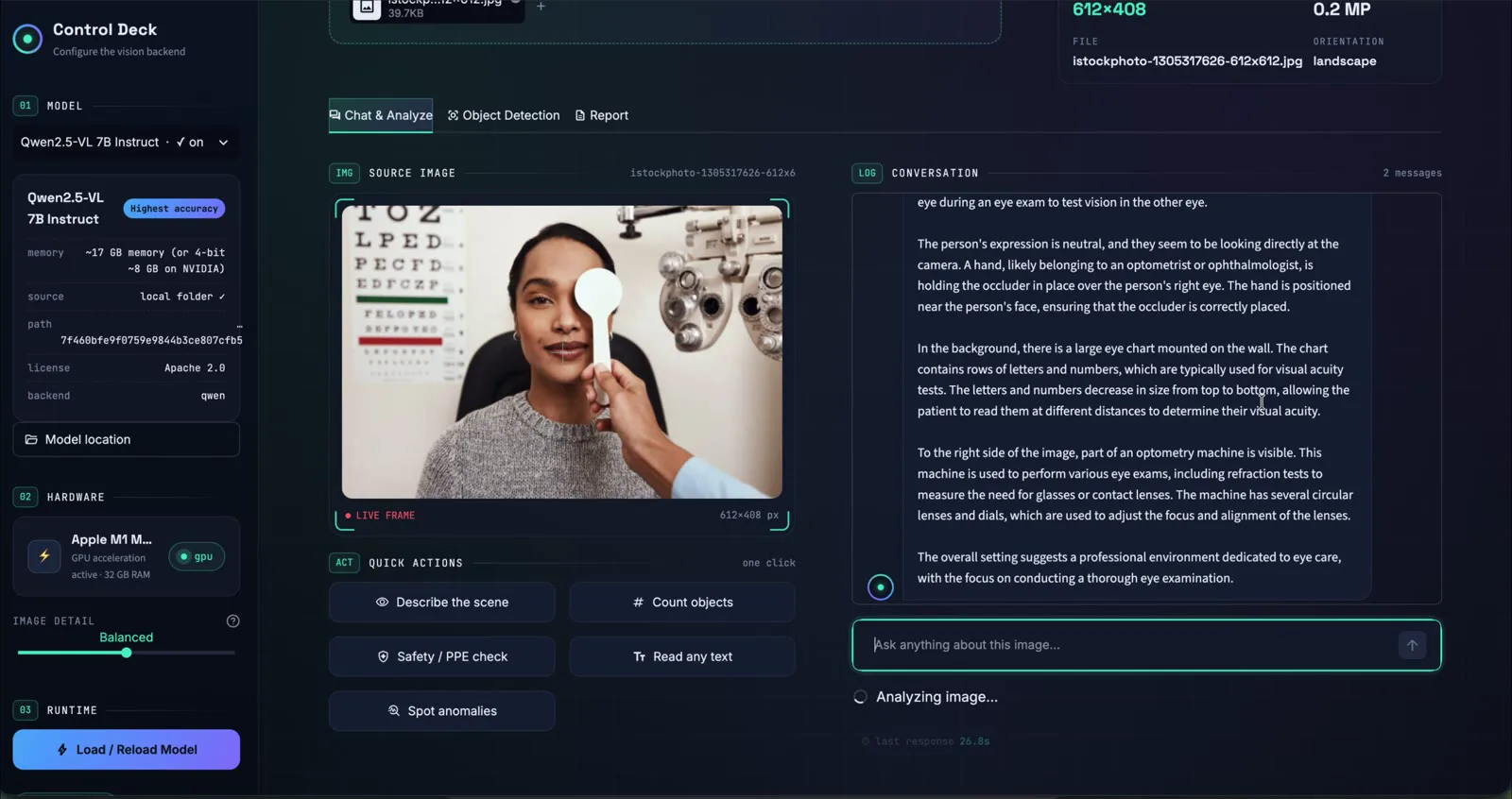
Chat with the image. Each follow-up builds on the earlier answers. 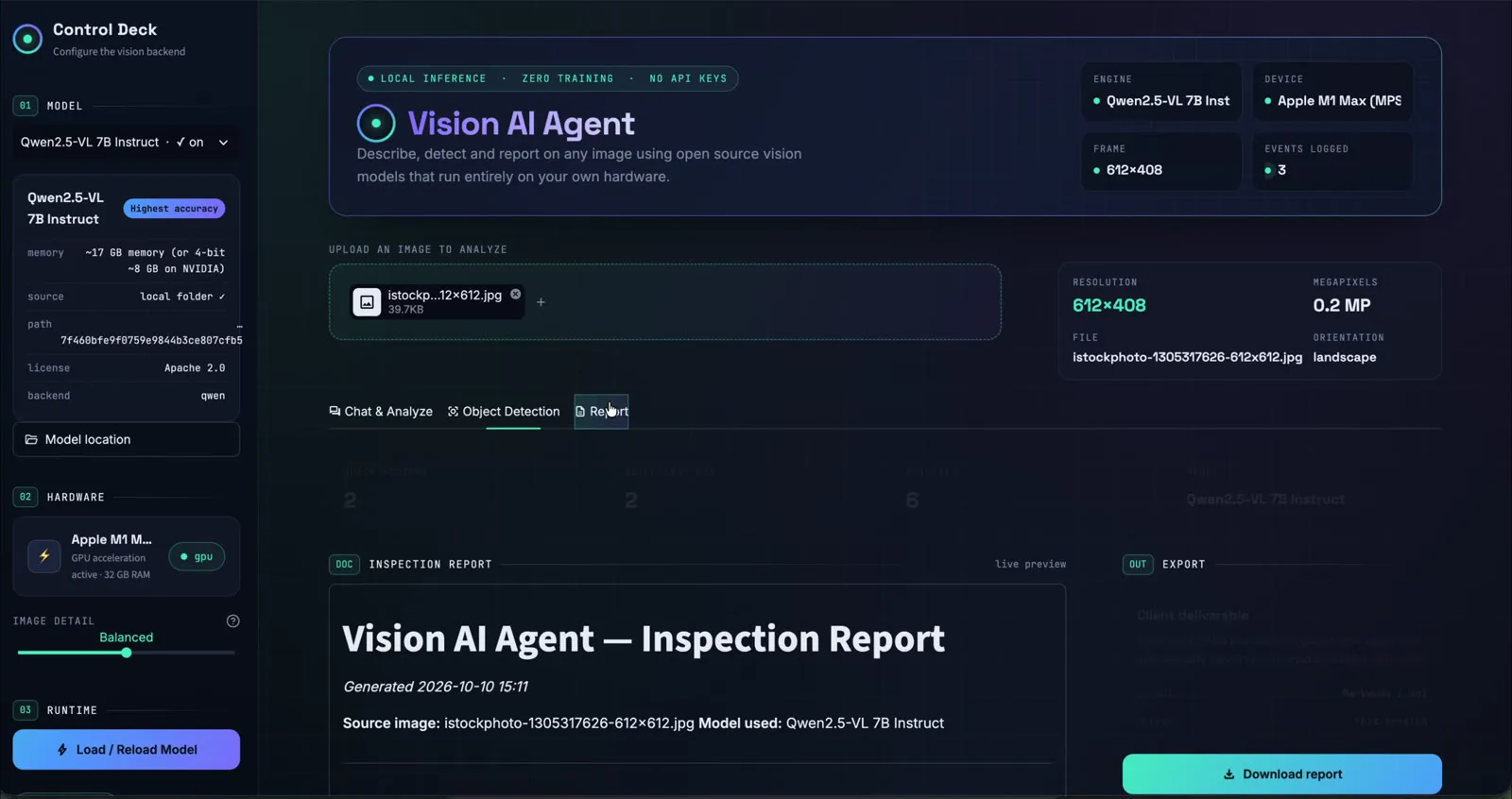
Every finding goes into an inspection report you can download. 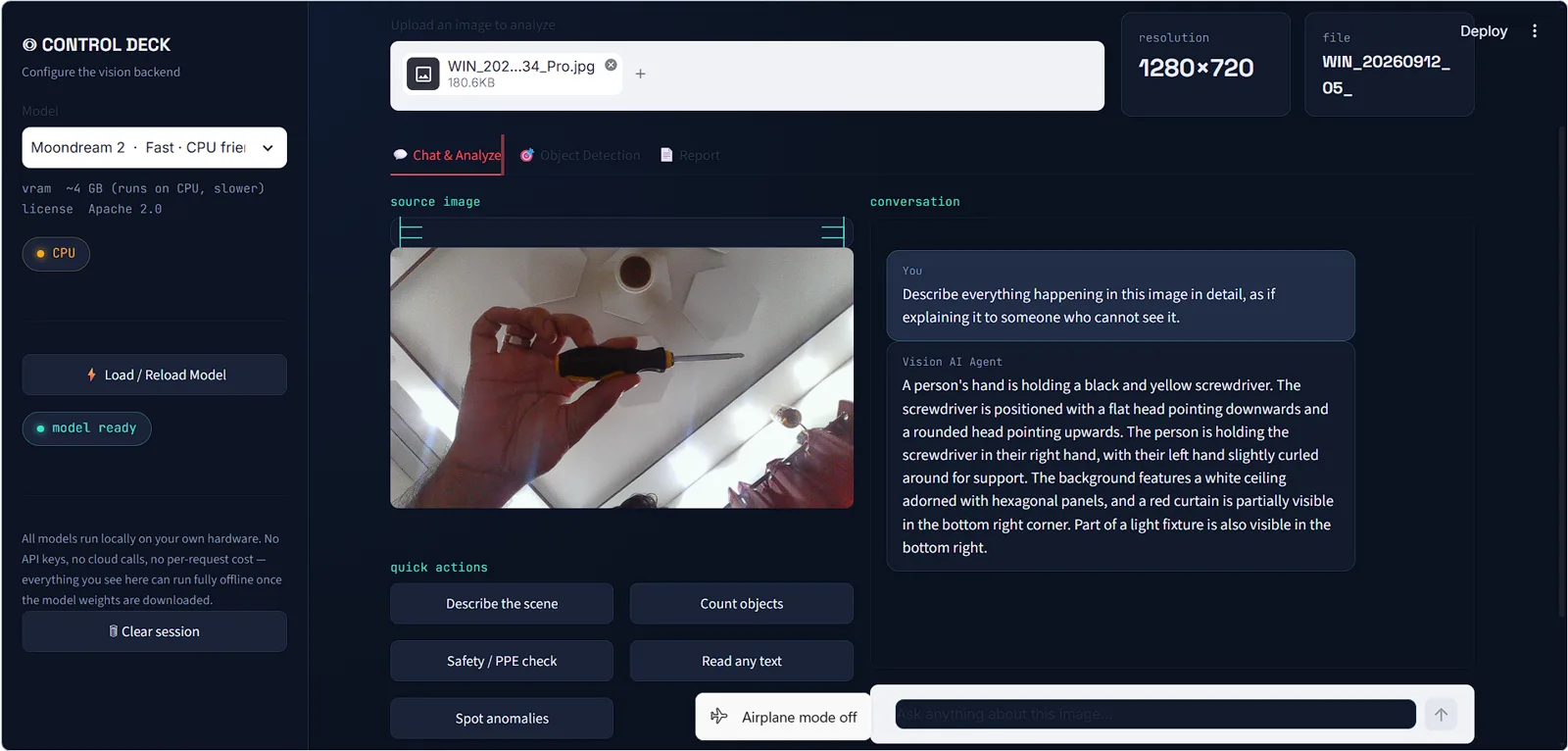
One-click inspections, shown here on a laptop with no graphics card.
What it does
- Remembers the threadEarlier questions and answers stay in context, so each follow-up builds on the last.
- Safety and PPE checksEach person is checked for helmet, vest, gloves and goggles, with violations flagged.
- Zero-shot detectionFinds what you name with no training. New objects to look for need no labelled examples.
- Reads text exactlySigns, labels, serial numbers and paperwork transcribed as written, with no retyping.
- Client-ready reportsEvery action is logged as you go and compiled into a report you can hand to a client or file with the job.
- Private installsFor confidential sites, the agent runs on your own computer with open-source models, with no uploads at all.
Outputs
- Chat
- Counts
- PPE checks
- Text reading
- Bounding boxes
- Markdown report
- Annotated PNG
Try it, then make it yours
The live demo is free, with a daily allowance per visitor. Hquadra can adapt Vision AI Agent to your workflow, connect it to your systems, and run it privately on your own hardware.
Tech specs.
- Input
- Photos from a phone, camera or screen, including HEIC
- Inspections
- Describe the scene, count objects, safety and PPE check, read text, spot anomalies
- Detection
- Zero-shot: name any object in plain English and every match is boxed
- Image detail
- Three levels, from fast to most detailed
- Exports
- Markdown report and the image with its boxes drawn on
- Private install models
- Open-source Qwen2.5-VL (7B or 3B) or Moondream 2, all Apache 2.0, or a model served by Ollama
- Private install hardware
- An Apple Silicon Mac (about 17 GB of memory for the 7B model) or a PC with an NVIDIA GPU (about 8 GB at 4-bit)
- Cloud
- None needed for a private install: no API keys and no per-request cost
Questions about Vision AI Agent.
Does it need training to find new objects?
No. Type the object's name in plain English and the vision model finds it. Traditional detectors need labelled example images for every new object; this one does not.
Where are my photos processed?
In the live demo, photos are sent to a hosted vision model for analysis and are not stored after your session. A private install runs open-source models on your own hardware, so photos never leave it.
What can it check for?
Scene descriptions, object counts, safety and PPE checks, text and label reading, and anomalies such as damage or items out of place. You can also ask any question of your own.
Is the demo free?
Yes. Each visitor gets a daily allowance of free AI runs. For site-wide use or a private install, contact Hquadra.
Other products
Tell us what you want AI to do.
Book a free 30-minute call. We will ask about your process and data, and tell you plainly whether AI is a good fit and what it would take.
or email info@hquadra.com